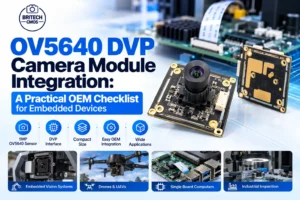

OV5640 DVP Camera Module Integration: A Practical OEM Checklist for Embedded Devices
Selecting a camera for an embedded product involves more than matching a megapixel number. A module may meet the image-resolution target yet still create redesign work if its connector, host interface, power sequencing, software support or mechanical envelope does not match the system. For teams evaluating a 5MP OV5640-based DVP camera, the most efficient approach is to qualify the complete module–host combination before approving the production design. This guide focuses on the integration decisions that determine whether a compact OV5640 DVP module can move smoothly from bench testing to an OEM device. It is intended for engineers, sourcing teams and product managers working on embedded imaging, document capture, access devices and industrial equipment—not for consumers shopping for a finished camera. 1. Start with the actual module configuration OV5640 identifies the image-sensor family; it does not, by itself, specify the complete camera board. Two OV5640 modules can differ in connector arrangement, lens, output configuration, board outline and supported operating modes. Before committing to a PCB footprint, request the supplier’s current module drawing and configuration-specific datasheet. CBRITECH lists a CMOS-sensor 5MP OV5640 DVP camera module with a 24-pin configuration. Use its product listing as the starting point for the inquiry, then confirm the exact sample revision and electrical documentation with the manufacturer: View the mapped 5MP OV5640 DVP 24-pin camera module 2. Verify DVP compatibility before layout A parallel DVP camera interface generally requires image-data lines plus timing/control signals. However, the exact bus width, signal assignment, voltage domains, clock requirements and supported modes must come from the module documentation. Do not assume that a host board supporting another DVP camera is automatically pin-compatible with this 24-pin module. Check whether the host processor exposes the required parallel camera input and has a suitable driver path. Obtain the exact connector pin assignment, mating part and orientation before routing the PCB. Confirm input/output voltage levels, power rails, reset and power-down requirements with the supplier. Check pixel clock, frame-sync and line-sync timing against the host capture peripheral. Agree on the intended output format, frame rate and resolution for the specific hardware/firmware combination. If the host offers MIPI CSI-2 rather than a parallel camera input, do not treat a DVP module as a direct replacement. Review the hardware architecture and available module variants before selecting a bridge or redesigning the host. For general background, CBRITECH already explains the interface differences here: Read: The Difference of Camera Module Interface for DVP and MIPI CSI 3. Treat the 24-pin connector as a system-level decision Connector mismatch is an expensive problem to discover after tooling. The label “24-pin” states contact count, not pinout or compatibility. Request the connector manufacturer/part number, pitch, contact orientation, insertion direction, FPC thickness (if applicable), cable length limitations and mechanical tolerance. Keep an annotated drawing under revision control so the sourcing and engineering teams order the same assembly. For an OEM project, also ask whether the supplied module includes a fixed cable or supports a project-specific flex length. Longer flexes may affect signal integrity and assembly, so evaluate the production geometry rather than relying solely on a short laboratory connection. 4. Define image-quality acceptance criteria early Five megapixels describes a nominal resolution class; it does not guarantee useful image quality in every application. A realistic qualification plan should include the actual working distance, lighting, exposure range, motion, field of view and intended processing task. An access device and a close-range document-capture device may need very different lens and illumination choices even when they share the sensor family. Sharpness: test centre and edge performance at the intended working distance. Exposure and colour: evaluate typical and difficult lighting, not only a brightly lit desk. Motion: assess blur and achievable frame timing in the target mode. Consistency: compare multiple sample units for focus and assembly variation. Reliability: repeat capture tests after thermal cycling or vibration where the application requires it. Where the project needs IR-related behaviour or an alternate optical stack, discuss that explicitly rather than assuming it is included in the standard OV5640 DVP variant. CBRITECH has a separate related product listing covering OV5640/OV5648 MIPI/DVP and IR-cut configurations; confirm which variant is appropriate before substituting parts. Compare the related OV5640/OV5648 OEM module configuration 5. Validate firmware, capture and processing as one workflow The module should be evaluated with the actual host software stack, not just a supplier demonstration board. Obtain the register/init guidance or supported driver information applicable to the chosen configuration. Verify power-up sequencing, sensor detection, frame capture, image orientation, exposure controls and recovery after sleep or restart. Document the working software revision alongside the camera hardware revision. If image processing runs locally, measure memory bandwidth and CPU load at the target capture mode. A system that can capture a single 5MP frame may not sustain the throughput needed for continuous preview, analysis or streaming. Agree on the required operating mode before promising performance to customers. 6. Run a small, structured OEM sample programme Instead of asking only whether a module is “available,” send a short requirements pack with the intended host processor, interface, connector constraints, desired image mode, operating environment, annual volume estimate and mechanical drawing. This allows the supplier to identify configuration mismatches early and recommend a suitable sample. Suggested acceptance checklist Checkpoint Evidence to collect Interface Pinout, signal levels, timing and host compatibility Mechanical Module outline, connector drawing, cable arrangement Imaging Target resolution/mode, lens/FOV and sample images Firmware Working driver/init details and reproducible capture test Reliability Application-relevant operating and repeatability tests Commercial Sample lead time, revision control, customization and volume terms 7. When should an OEM request customization? Customization is worth discussing when a standard sample passes the core imaging test but conflicts with the product enclosure, connector placement, cable routing, lens field of view or operating environment. Share the constraint and target outcome rather than asking for an unspecified “custom camera.” Confirm the resulting design revision, validation scope and production documentation before purchasing in volume. For a wider overview of the buying process, use CBRITECH’s existing procurement resource as supporting reading rather