
USB Camera Modules Explained: How to Choose the Right Module for PCs, Embedded Devices, Face Recognition and Machine Vision
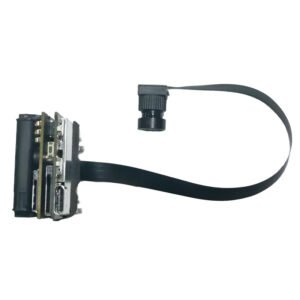
A USB camera module looks simple: a small board, a lens, a cable. Yet it is one of the most commonly mis-specified components in embedded and consumer hardware. Teams pick a module by megapixel count, discover the frame rate collapses over USB 2.0, find the picture washed out in a bright window, or learn too late that a fast-moving subject looks bent and smeared. This guide explains what actually matters when you choose a usb camera module, in plain language, with practical recommendations for laptops, access control, doorbells, robots and industrial vision. It is written by the team at Shenzhen Brilliant CMOS Technology Co., Ltd., where we design and supply OEM and ODM camera modules, so the advice reflects the mistakes we see in real projects. In this guide What a USB camera module is, and why UVC matters USB 2.0 vs USB 3.0 speeds: the bandwidth math Resolution, sensor size and lens: what really sets image quality Laptop and tablet cameras Document capture and general-purpose imaging Face recognition cameras and wide dynamic range Doorbell and entry cameras Global shutter and monochrome cameras for fast motion High-resolution and autofocus modules for robot vision and 4K Module comparison at a glance A practical selection checklist Frequently asked questions 1. What a USB camera module is, and why UVC matters A USB camera module is a compact board containing a CMOS image sensor, a lens (fixed focus or autofocus), and a controller that processes the image and sends it to a host over USB. Unlike a MIPI camera, which usually needs custom drivers and tight integration with a specific processor, a USB module connects to almost any host with a USB port. The feature that makes this practical is UVC (USB Video Class). A UVC-compliant device announces itself in a standard way, so Windows, Linux, macOS and Android can recognise it and start streaming video without a vendor driver in most configurations. For a product team that means: Fast prototyping. You can see a live image within minutes of plugging the module in. Lower software cost. Standard video APIs replace custom driver work. Host flexibility. The same module can run on a laptop, an Android tablet, a Raspberry Pi-class board or an industrial PC. The trade-off is that USB adds a controller and consumes bandwidth, which brings us to the question most buyers underestimate. 2. USB 2.0 vs USB 3.0 speeds: the bandwidth math If you are searching for usb 3.0 speeds in a camera context, you are really asking: how many frames per second can I get at my resolution? The answer depends on how the video is sent. Raw (uncompressed) video is simple and has no compression artefacts, but it is data hungry. A rough rule: width x height x bytes per pixel x frames per second. For example, 1920 x 1080 at 30 frames per second in a common 2-byte-per-pixel format is roughly 124 megabytes per second, which is around a gigabit per second. Compressed video (such as MJPEG or H.264) shrinks that stream dramatically, which is why many USB 2.0 cameras deliver 1080p at 30 fps using compression. The two common interface generations differ greatly: USB 2.0 has a theoretical maximum of 480 megabits per second. Real-world throughput is lower. It is perfectly good for 720p and for compressed 1080p video, and it is the cheapest and most compatible option. USB 3.0 (5 Gbps theoretical) gives roughly ten times the headroom. It lets you stream high frame rates, or high resolutions with little or no compression, which matters when latency and image fidelity are critical. Our 2MP 1080p 120fps USB 3.0 global shutter camera module is built for exactly this situation: 1080p at 120 frames per second needs bandwidth that USB 2.0 cannot realistically carry, so USB 3.0 is the right pairing. Practical tips Treat the theoretical number as a ceiling, not a promise. Cable quality, hub design and host controllers all reduce real throughput. Plug high-bandwidth cameras directly into the host, not into a shared hub, when you can. Decide early whether your application can tolerate compression. Machine vision that measures fine detail often prefers uncompressed or lightly compressed streams. 3. Resolution, sensor size and lens: what really sets image quality Megapixels are the number everyone quotes, and the least reliable guide to quality. Four things together decide how good the picture looks: Sensor size and pixel size. A larger sensor with larger pixels collects more light, giving cleaner images in dim rooms. Lens quality and field of view. A sharp lens on a 2MP sensor often beats a poor lens on 8MP. A wide field of view covers more scene but reduces detail on distant subjects. Focus type. Fixed focus is simple, robust and cheap, and works when the subject distance is predictable. Autofocus is worth the cost when distance varies, such as documents, close-up work or a moving robot. Image processing. Exposure, white balance, noise reduction and wide dynamic range tuning decide how the module copes with difficult light. A useful habit: write down the subject distance, the smallest detail you must resolve and the worst lighting you expect, then choose the module. Do not start from the megapixel number. 4. Laptop and tablet cameras A usb laptop camera module has a different brief from other cameras. It needs a slim board, a lens that suits a face sitting 40 to 70 centimetres away, reliable behaviour in mixed indoor lighting, and driverless compatibility so the manufacturer can ship without extra software. Our 720p CMOS sensor USB 2.0 UVC camera module for PC and tablet is designed for this role. At 720p over USB 2.0 it keeps the data rate modest, runs on essentially any PC or tablet host, and is a sensible, cost-efficient choice for video calls, e-learning devices and basic conferencing hardware. When specifying a laptop or tablet camera, check: Module thickness and connector. It must fit the bezel and the cable path. Field of view. Around the typical webcam range suits