Month: September 2026

WDR USB Camera Module Guide
WDR USB Camera Modules
Opti Bridge Solutions

WDR USB Camera Modules for Face Recognition Kiosks: An OEM Integration Checklist

A face recognition terminal installed beside a bright lobby entrance has a different imaging problem from a camera used in evenly lit laboratory conditions. Strong window backlight can leave a face underexposed even when the sensor reports a full-HD image. For an OEM developing an access-control kiosk, attendance terminal or public-place gate, selecting a camera means validating usable face detail under the actual lighting, distance and software conditions—not simply choosing the highest pixel count. This checklist explains how to evaluate a wide dynamic range (WDR) USB camera, what to test during prototyping, and where CBRITECH’s PS5268-based module may fit. A camera captures images; face matching, liveness detection, privacy controls and access decisions require a separately designed and validated system. 1. Start with the scene, not the megapixel specification Document the subject distance, mounting height, expected face position, ambient and backlighting, and whether the kiosk must work at dawn, at night or under changing indoor illumination. Photograph the most difficult location during a site survey. Test with people of varied heights and skin tones; do not assume a successful bench demonstration will transfer to the entrance. WDR matters because a face may occupy a shadowed region while the background contains windows or bright signs. The practical goal is to preserve facial features without washing out highlights. Compare captured frames under matched conditions, including motion and rapid light changes. WDR alone does not establish recognition accuracy. 2. Match the camera’s published operating modes to your software CBRITECH lists its 1080P Wide Dynamic USB Camera Module for Face Recognition as a PS5268-based, 2 MP, 1920 × 1080 module with USB 2.0 and UVC support. The published MJPEG modes include 1920 × 1080 at 30 fps and 1280 × 720 at 60 fps; the listed YUY2 modes are 1920 × 1080 at 15 fps and 1280 × 720 at 15 fps. These are interface/format-dependent options, not a promise that every host will achieve the same end-to-end performance. Ask the engineering team which format the computer-vision pipeline actually accepts. MJPEG can reduce transport requirements but introduces decoding work; YUY2 is uncompressed and has a different bandwidth profile. Validate frame delivery, exposure consistency, CPU utilization and latency on the target host rather than extrapolating from a nominal frame-rate number. View the mapped CBRITECH 1080P WDR USB face recognition camera product 3. Evaluate optics and the installation envelope The product listing specifies an 85° field of view, fixed focus, an M12 × 0.5 lens mount and a 38 × 38 mm module. It lists a 60 cm object distance with customization noted. Treat these as starting points for mechanical design: a wider field captures more context, but the face may occupy fewer pixels at a longer working distance. Confirm the actual subject distance, framing, lens clearance, housing reflections and cable routing with a prototype. A kiosk camera should be placed where users naturally face the screen. Avoid mounting angles that routinely create extreme pitch or yaw. Use repeatable target positions when comparing candidate modules, and confirm that the final protective window does not introduce glare or distortions. 4. Build a WDR and exposure acceptance test A useful OEM test plan includes: (a) face with a bright window behind it; (b) overhead light and side shadow; (c) a person entering from outdoors; (d) subject movement at normal walking speed; (e) repeated capture at the minimum and maximum planned distance; and (f) the camera behind the final kiosk cover glass. Record representative still frames and time-to-stable-exposure, not just a subjective “looks clear” verdict. CBRITECH’s listing describes HDR sensor technology, automatic exposure, automatic white balance and automatic gain control. It also lists adjustable brightness, contrast, saturation, hue, sharpness/definition, gamma, white balance and exposure. Confirm which controls are exposed by your actual UVC driver and whether settings persist across device restarts. The listing gives a dynamic-range entry of 85 dB/95 dB; request clarification of the applicable test mode before using either figure in a purchasing specification. 5. Integrate USB UVC without assuming plug-and-play equals production-ready USB Video Class support is useful for a fast prototype, but production validation should cover boot/reconnect behavior, device enumeration, camera permissions, cable length, host power, sustained streaming, operating temperature and recovery from a disconnected device. CBRITECH lists Windows, Android and Linux with a UVC driver; verify the exact OS build, processor, driver and application framework in your own design. Run a continuous capture test with the same frame format, resolution and analytics load planned for deployment. Measure dropped frames, end-to-end latency and thermal behavior inside the closed housing. For a multi-camera or peripheral-heavy kiosk, assess shared USB bandwidth and power budgets. 6. Separate imaging performance from biometric-system claims The module is a capture component, not a complete identity verification solution. Recognition thresholds, enrollment quality, anti-spoofing/liveness checks, secure storage, consent notices, retention periods and applicable legal requirements belong to the full system. In US deployments, involve privacy and legal stakeholders early; requirements differ by jurisdiction and application. Evaluate performance across representative users and lighting conditions before claiming an accuracy figure. 7. Procurement questions to send with an OEM inquiry Share your expected annual quantity, kiosk enclosure drawing, working distance, target OS, desired video mode, lighting photos, cable/connector requirements, operating environment and validation schedule. Ask the supplier to confirm sample availability, mechanical drawings, lens options, firmware or UVC controls, production change management and any requested customization in writing. For an early feasibility review, compare the published PS5268 module against your test matrix and request confirmation of any unlisted requirement rather than assuming it is supported. Review CBRITECH’s WDR USB camera specifications and request a quote Where this guide fits with other CBRITECH resources For an introduction to face recognition camera use cases, read the existing general overview. For a wider discussion of dynamic range, see CBRITECH’s explanation of WDR. These are supporting resources; this article is deliberately focused on the OEM kiosk integration decision. Existing face recognition, bird watching and monochrome camera overview What is wide dynamic range and where is it used? Frequently asked questions Is
Read More »
4G SIM Camera Integration Guide
4G SIM Camera Module
Opti Bridge Solutions

4G SIM Camera Module Integration: What OEM Buyers Should Check Before Building Remote Security Devices

A remote security product is only useful when its imaging, connectivity and power architecture work together. For an OEM developing a portable monitoring device, temporary-site camera or connected industrial enclosure, selecting a 4G camera module is not simply a matter of choosing the highest resolution. The practical questions are whether the device can connect reliably where Wi-Fi is unavailable, deliver usable footage, manage local storage and fit the intended housing. This guide focuses on the integration decisions that should be resolved before requesting samples or placing a production order. For a broader overview of applications and cellular monitoring, read CBRITECH’s existing 4G IP camera modules OEM guide 1. Start with the deployment environment, not the camera specification Define where the device will operate: a construction site, temporary equipment installation, mobile inspection unit or another authorized monitoring environment. Determine cellular coverage, available power, installation space, temperature exposure and the expected viewing pattern. A module intended for occasional event clips may have different power and data requirements from one transmitting live video throughout the day. For US deployments, ask the supplier to confirm supported cellular bands, carrier compatibility, SIM provisioning and any relevant certification for the exact hardware configuration. A product description that says “4G” alone does not establish compatibility with every US network. 2. Match video output to the actual monitoring task Resolution matters, but compression, frame rate, field of view and lighting can be equally important. CBRITECH lists its 4G IP camera module with a 1/2.7-inch CMOS sensor, 2MP 1920 × 1080 video, H.264 encoding and selectable lower output resolutions. Its published frame-rate range is 20–25 fps. These specifications make it a candidate for evaluation where an OEM needs remote visual monitoring rather than simply a still-image sensor. A wider field of view may help cover a compact space but can reduce the detail available on a distant subject. Prototype with the intended mounting position and target distance. Review actual recorded clips, not only a specification sheet. 3. Check the connectivity and data workflow end to end Ask how the camera handles SIM connectivity, mobile-app access, remote viewing, video playback and footage downloads. Confirm what happens during signal loss and whether recording continues locally. CBRITECH lists SIM support, Android/iOS app access and TF-card storage up to 64GB for the linked module. Its product description also mentions Wi-Fi all-in-one networking; confirm the intended operating mode with the manufacturer before finalizing firmware and housing. The data budget should be calculated from the real video bitrate and expected streaming hours. Remote viewing, alerts and continuous uploads produce very different cellular usage. The buyer should also establish account access, firmware maintenance and data-protection requirements for the finished device. 4. Evaluate power and enclosure design early Portable security products often fail at the system level rather than at the sensor. CBRITECH lists DC 5V Type-C or a 3.7V battery connection and power consumption below 5W for its module. These are useful starting points, but battery life must be tested under actual network conditions, night-vision operation and the intended recording schedule. Confirm the mechanical drawing, connector clearance, cable routing, lens position, heat dissipation and environmental sealing. The published operating range is −20°C to +60°C with relative humidity below 90%; the finished enclosure needs its own environmental validation. 5. Treat AI alerts and low-light imaging as testable functions A remote camera may need to distinguish relevant human activity from background movement. CBRITECH lists human-form detection, alarms, configurable investigation areas, image mirroring and DV mode. It also specifies 940 nm infrared LEDs, low-light imaging and wide dynamic range greater than 100 dB. These are product-page claims to validate with sample footage in the buyer’s actual environment. Set a measurable acceptance test: target distance, lighting changes, false alerts, response latency and the quality of clips available after an event. Two-way audio is also listed, using G.711A/G.711U encoding; verify microphone and speaker integration if communication is part of the finished product. 6. What to send a 4G camera module supplier before requesting a quote A useful RFQ should identify the target market, deployment environment, expected order volume, required lens, field of view, power source, recording mode, app requirements and enclosure constraints. Ask for sample availability, integration documents, exact cellular compatibility, firmware customization scope, production lead times and the test criteria used for approval. Product to evaluate: CBRITECH 4G IP Camera Network Remote Control AI Dedicated Camera Module The listed product offers a 2MP H.264 imaging platform, SIM and TF-card support, remote access, two-way audio, human detection and lens/housing customization options. Request confirmation of the final configuration and any market-specific requirements before procurement. When should an OEM consider another camera architecture? A 4G-connected module is useful when the product must operate away from a fixed network. Where cellular access is unnecessary, a conventional USB or embedded interface may simplify the system. For the wider range of compact camera formats, browse CBRITECH’s surveillance camera module category This distinction helps avoid overspecifying connectivity when the actual application needs only local capture or a host-controlled camera. Frequently asked questions Does a 4G SIM camera module work without Wi-Fi? A cellular design can support remote access through a compatible mobile network, provided the module, SIM plan, carrier and local coverage are suitable. Confirm the exact configuration with the supplier. Is a 2MP 4G camera sufficient for OEM remote monitoring? It can be suitable for many general monitoring tasks, but required detail depends on subject distance, lens, lighting, compression and mounting. Validate the intended use with sample footage. Can the camera save footage when a mobile connection is unavailable? The referenced CBRITECH module lists TF-card support up to 64GB. Confirm offline-recording behavior, overwrite policy and recovery after signal loss for the production firmware. What should US buyers verify before ordering a 4G module? Confirm supported LTE bands and carriers, SIM activation, regulatory/certification requirements, data usage, environmental conditions and the exact module revision. Can the module be customized for an OEM enclosure? CBRITECH states that it offers lens and housing/casing customization. Provide mechanical drawings and discuss

Read More »
120FPS Monochrome Industrial Inspection Camera
Monochrome Cameras
Opti Bridge Solutions

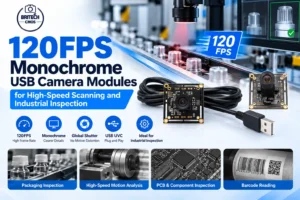
120FPS Monochrome USB Camera Modules for High-Speed Scanning and Industrial Inspection

A moving object can be perfectly visible to an operator and still be difficult for a vision algorithm to measure. On a conveyor, barcode edges shift between frames; in a rapid scanner, insufficient frame sampling can miss useful views; and in an inspection station, uneven lighting can obscure the contrast needed for reliable detection. For these systems, selecting the right monochrome camera involves more than choosing a megapixel count. A 120FPS monochrome USB camera module is worth evaluating when an OEM needs fast frame capture, contrast-focused imagery and a practical host connection. CBRITECH offers a 720P USB 2.0 global-shutter module based on the 1/3-inch OV0720 sensor, with monochrome and color options. The product is positioned for fast scanners, industrial inspection, high-speed animal capture and sports imaging. View the CBRITECH 120FPS global-shutter monochrome USB camera module When should an OEM choose monochrome instead of color? Color is essential when the application must distinguish labels, markings or components by hue. In other inspection tasks, the software only needs edges, silhouettes, texture, contrast or shape. A monochrome configuration avoids the need to preserve color information in the same way as a color image and can simplify a contrast-based image-processing pipeline. That does not guarantee better results: the lighting wavelength, target surface and actual camera output format still determine useful image quality. For a barcode reader or high-speed sorting prototype, define the smallest feature that must be detected and test its contrast under production lighting. Choose monochrome because the measurement needs it—not simply because the camera is marketed as industrial. What 120FPS means in a real inspection workflow Frame rate tells you how frequently a camera can deliver images, not whether each image will be sharp. CBRITECH specifies 1280 × 720 at 120FPS in MJPEG mode and 1280 × 720 at 90FPS in YUY2 mode. This difference matters: a host application requesting an uncompressed format should not assume the same maximum rate advertised for MJPEG. At 120 frames per second, the nominal interval between frames is about 8.3 milliseconds. Engineers should still calculate how far the target travels between captures and how far it moves during the exposure itself. Shorter exposure, adequate illumination and appropriate optics remain necessary for a usable frame. Actual sustained capture must be validated on the chosen host, driver and USB topology. Why the global shutter matters—and what it does not fix The product uses an electronic global shutter, which captures the active scene with a common exposure interval rather than sampling rows at different moments. This is useful where the shape or location of moving parts matters. However, global shutter does not eliminate motion blur caused by a long exposure or inadequate light. Those are separate design problems. CBRITECH already has a detailed explanation of shutter architectures. For a fundamental comparison, use that guide; the focus here is how to configure a particular high-speed monochrome USB module for a measurable task. Read: Global Shutter vs Rolling Shutter Camera Modules USB 2.0, MJPEG and YUY2: choose the output deliberately The OV0720 product lists high-speed USB 2.0 and UVC compliance. Its two stated 720P capture configurations—MJPEG at 120FPS and YUY2 at 90FPS—show why format selection is an integration decision. MJPEG can reduce transport demand but requires decoding and may introduce compression artifacts. YUY2 provides a different image-data path, with its own bandwidth and host-processing considerations. Test the exact pixel format your inspection software will consume, including dropped frames, CPU usage and latency. The listed module is powered at DC 5V and measures 38 × 38 mm. Before enclosure design, verify cable routing, mounting clearances, the available USB controller and the operating temperature range of 0°C to 60°C. CBRITECH lists Windows, Linux with UVC support and Android with UVC support among its host environments; the finished OEM system should still be qualified independently. Optics and lighting: the often-missed ranking of priorities The module lists a 93° diagonal and 63° horizontal field of view, fixed focus, an F/2.24 lens and a minimum illumination specification of 0.1 lux. These are useful starting points, but they do not determine whether a specific part will occupy enough pixels for accurate measurement. Engineers should calculate the working field width and minimum target-feature size, then test distortion and focus at the intended distance. CBRITECH also lists an IR filter specification and support for an 850 nm infrared-film lens option. When developing a monochrome inspection station, match the lighting wavelength to the target material and confirm the delivered optical configuration. A controlled light source can often improve edge consistency more than increasing nominal camera resolution. Four practical OEM application scenarios Fast scanning: Evaluate how many usable frames are captured while the code or document passes through the field of view. Confirm decode performance using the actual MJPEG or YUY2 output rather than assuming all frame-rate modes are equivalent. Conveyor inspection: Synchronize acquisition and illumination to the product movement. Validate geometric consistency, exposure and false-reject rates across production speeds. Motion analysis: A high frame rate offers denser sampling of movement, but lighting and exposure still control the clarity of each individual frame. Contrast-led measurement: Where color is unnecessary, test the monochrome option with the intended target, optics and software thresholds before committing to an OEM configuration. A sensible evaluation checklist before requesting a quote Share the intended application, target speed, smallest feature size, working distance, lighting conditions, required pixel format, expected frame rate, host operating system, mounting constraints and projected order volume. Ask the supplier to confirm the monochrome variant, lens and filter arrangement, cable length, software compatibility and sample availability. These inputs make a product inquiry actionable rather than a generic request for a “120FPS camera.” Check the product specifications and request an OEM quotation Frequently asked questions Is the CBRITECH module truly 120FPS at 720P? The published specification lists 1280 × 720 at 120FPS for MJPEG and 1280 × 720 at 90FPS for YUY2. Validate the required output mode on your own host. Does global shutter eliminate blur? It reduces row-to-row motion distortion, but a moving object

Read More »
640×512 Thermal Imaging Camera Modules
thermal imaging cameras
Opti Bridge Solutions

640×512 Thermal Imaging Camera Modules: Choosing the Right Thermal Core for Drones, FPV and Embedded Vision

Thermal imaging changes what a vision system can detect. A conventional visible-light camera depends on reflected light from the environment. A thermal imaging system instead detects infrared radiation associated with temperature differences, making it useful for applications where ordinary visible-light imaging may be limited by darkness or where detecting heat patterns is more important than reproducing natural colors. For engineers developing drones, FPV platforms, thermal monoculars and specialized embedded vision equipment, the challenge is therefore not simply finding a thermal imaging camera. The real challenge is selecting a thermal core with the right combination of resolution, sensitivity, frame rate, physical size, weight, output interface, lens and operating characteristics. CBRITECH’s 640×512 thermal imaging camera core is designed around this type of integration. It combines a 640×512 infrared detector with a compact 20 × 20 mm module architecture and supports drone and thermal-monocular applications. This guide explains the technical factors OEMs and system developers should consider when selecting thermal imaging hardware for drones and embedded vision systems. What Is a Thermal Imaging Camera? A thermal imaging camera creates an image from infrared energy rather than depending solely on visible light. This difference is particularly important when the imaging objective involves detecting heat signatures or operating in conditions where ordinary cameras do not have enough visible illumination. The core of the system is its infrared detector. CBRITECH’s 640×512 module uses a vanadium oxide (VOx) uncooled infrared focal plane detector operating in the 8–14 μm band. For an OEM, the thermal core can become the imaging component inside a larger finished product rather than being a complete standalone camera. That makes the technology applicable to systems such as: thermal drones; FPV platforms; thermal monoculars; embedded infrared imaging equipment; remote observation systems; custom OEM thermal-imaging products. The correct module depends on what the complete system needs to detect and how the thermal video will be processed or displayed. Why 640×512 Resolution Matters Resolution is one of the first specifications engineers encounter when comparing thermal cameras. The target CBRITECH module provides a native thermal resolution of 640 × 512 pixels. That means the detector contains substantially more thermal-image information than lower-resolution alternatives. But resolution should not be considered in isolation. For OEM development, a useful thermal imaging system depends on the relationship between: resolution + detector sensitivity + lens + field of view + viewing distance + processing + output A higher detector resolution can provide more spatial information, but the final performance still depends on the complete optical and electronic design. This is why engineers should avoid choosing a thermal module purely because the number “640” looks better on a specification sheet. The actual application needs to define the specification. Understanding the 12 μm Pixel Pitch The module uses a 12 μm pixel spacing. Pixel pitch describes the distance between detector pixels. For engineers, this specification becomes relevant when considering detector architecture, optics, module dimensions and the overall imaging system. A thermal-camera design therefore needs to consider detector resolution and pixel pitch together rather than treating them as unrelated specifications. When evaluating an OEM thermal module, ask how the detector architecture works with the selected lens and intended viewing distance. That brings us to one of the most important parts of a thermal system: optics. Lens Selection Can Change the Entire Thermal Imaging System The same thermal core can behave very differently depending on the lens. CBRITECH lists a particularly broad lens range for this module: 4 mm, 5.3 mm, 7 mm, 9.1 mm, 13 mm, 15 mm, 19 mm, 25 mm, 35 mm and 50 mm. This gives OEM developers room to configure the imaging system around different application requirements. A shorter focal length may be appropriate where a broader scene needs to be observed, while longer focal lengths can be relevant where a narrower view or greater observation distance is required. That is particularly important when designing a thermal drone. A drone used for broad observation does not necessarily need the same optical configuration as a platform intended to observe a smaller target from farther away. Instead of asking: “Which thermal camera has the best lens?” OEM developers should ask: “Which lens gives our detector the field of view and observation characteristics required by our application?” That is a much more useful engineering question. Why Thermal Drones Need Purpose-Built Camera Modules Weight, dimensions, power consumption and video-interface compatibility become especially important when the camera is installed on an airborne platform. A thermal drone cannot simply carry unlimited imaging hardware. Every additional component affects the complete payload. CBRITECH lists its 640 thermal core at 20 × 20 mm excluding the lens and ≤23 g excluding the lens, with rated power consumption of ≤0.8 W. Those specifications make the physical integration discussion particularly relevant to drone developers. A thermal-drone designer should evaluate at least four areas together: Payload: Can the aircraft carry the camera, lens, mounting hardware and associated electronics without compromising the intended flight characteristics? Power: Can the onboard electrical architecture supply the camera reliably? Video transmission: Is the camera output compatible with the aircraft’s processing or transmission system? Optics: Does the selected lens provide the required view from the expected operating altitude or distance? Thermal-drone integration is therefore a system-engineering problem, not simply a camera-purchasing decision. Where an FPV Drone Camera Module Fits In FPV systems create another interesting camera requirement. An FPV drone camera module needs to deliver usable video to the pilot or downstream video system with an architecture compatible with the platform. CBRITECH’s thermal module supports CVBS output, and the product page also identifies USB support. Its listed analog format is PAL. This makes interface selection an important part of the buying decision. Not every FPV project requires thermal imaging. CBRITECH also offers a dedicated FPV WDR Drone Night Vision Camera for visible-light/low-light FPV applications. That model uses a 1/2.8-inch image sensor, CVBS output and a stated minimum illumination of 0.0001 lux. This distinction matters. Thermal FPV vs Low-Light FPV A thermal camera and a low-light camera solve different

Read More »

We will contact you within 1 working day, please pay attention to the email with the suffix “@cbritech.com”

One Request, Multiple Quotes