

Endoscope Camera Modules: The Complete Buyer’s Guide for Medical, Dental and Industrial Inspection
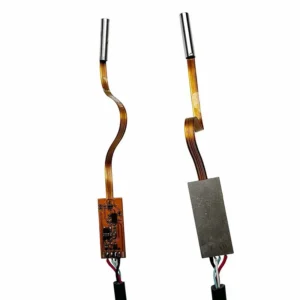
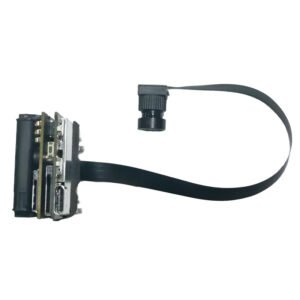
If you are designing a diagnostic scope, a dental handpiece, or an industrial inspection tool, the camera at the tip is the part everything else depends on. A great housing, a polished app and a clever lighting design all fail if the image sensor behind a few millimetres of glass is wrong for the job. This guide is written for product managers, hardware engineers and sourcing teams who need to choose an endoscope camera module and want straight answers, not brochure language. We build camera modules at Shenzhen Brilliant CMOS Technology Co., Ltd., so we see the same selection mistakes again and again. Here is what we wish every buyer knew before sending the first inquiry. In this guide What an endoscope camera module actually is Why diameter is the first decision Sensor and resolution: why 720p is still the workhorse USB, and why it simplifies development Lighting: the LED question most teams underestimate Medical endoscope cameras: what the module can and cannot promise Dental and ENT: the intraoral camera use case Industrial inspection and borescope cameras Model comparison at a glance A practical selection checklist Frequently asked questions 1. What an endoscope camera module actually is An endoscope camera module is a miniature, self-contained imaging unit: a CMOS image sensor, a micro lens, an interface board and, in most designs, a ring of tiny LEDs, all packed into a slim probe or a compact head. Unlike a general-purpose webcam board, it is engineered around two constraints: very small diameter and short working distance. That second point matters. An endoscope images objects that are often only millimetres to a few centimetres away: tooth surfaces, an ear canal, the inside of a pipe weld. The lens must hold focus at that distance, with enough field of view to be useful and enough illumination to avoid a dark, noisy picture. Modules like these are typically supplied as bare components for OEM integration. You build the handle, cable, housing and software around them. That is why specification details such as diameter, interface and LED layout deserve as much attention as megapixels. 2. Why diameter is the first decision Before sensor, before resolution, before price, decide the outer diameter your product can tolerate. It determines where the scope can go and how comfortable or invasive it is. At CBRI Tech we cover the common diameter steps that OEM customers ask for: 2 mm class: for the tightest access. Our 0MM Endoscope Camera is built around the OmniVision OVM6946 sensor, a class of ultra-compact imager designed for exactly this kind of miniaturised, single-use-style scope design. 3 mm class: a very popular balance between slimness and image quality. Our USB module with an OD of 3.3 mm uses the OV9734 sensor at 720p and is listed as a medical endoscope camera module. 5 mm class: a good fit when you want a little more room for optics and LEDs. See our 3.5MM Endoscope Camera with a 3.5 mm outside diameter at 720p, and the 720p 3.5mm integrated-type USB endoscope module when you prefer a more integrated build. 9 mm class: the practical choice for general inspection tools where a slightly larger probe is acceptable and easier to handle and seal. Rule of thumb: pick the largest diameter your application allows. Every extra millimetre gives your optical and lighting design more room, and usually improves image quality and manufacturing yield. Go smaller only when the anatomy or the access point forces you to. 3. Sensor and resolution: why 720p is still the workhorse It is tempting to chase higher megapixel numbers. In endoscopy, the sensor size and the optics matter more than the headline resolution. A module that is only a few millimetres wide has a tiny sensor. Squeezing more pixels onto a tiny sensor makes each pixel smaller, which reduces light capture and can raise noise, especially in the dim, enclosed spaces where scopes work. A well-tuned 720p (1280 x 720) sensor such as the OV9734 delivers a clean, smooth live image at a frame rate suitable for real-time viewing, which is why so many scopes still ship at this resolution. Practical consequences for your design: Bandwidth and latency stay low. 720p over USB is light on the host system, which helps on low-power Android tablets and embedded boards. Software is simpler. Lower data rates mean less compression trouble and a snappier preview. Image quality is easier to tune. Exposure, white balance and noise reduction behave more predictably on a sensor that is not pushed to its limits. If your use case genuinely needs finer detail, for example documenting very small surface defects, discuss a higher-resolution or larger-diameter option with us early. It changes the optical design, not only the sensor. 4. USB, and why it simplifies development For most OEM teams, a USB endoscope camera is the fastest route from prototype to product. USB video class (UVC) devices are recognised by Windows, Linux, macOS and Android without custom drivers in most configurations, so your software team can start with standard video APIs instead of writing a driver. What that gives you in practice: Plug-and-play bring-up. Your first image can appear on day one of testing. One cable for power and data. Fewer parts in the handle and a simpler bill of materials. Broad host support. The same module can serve a PC-based cart, a tablet app and an embedded Linux device. One of our modules also supports USB control of LED brightness, which lets your application dim or brighten the illumination from software. We cover that in the next section, and you can review the 3.9mm 720p endoscope module with USB LED brightness control for Android, Windows, PC and Linux for details. A note on cable length and EMI. USB has practical length limits, and long, unshielded cables in a handheld probe can pick up noise from motors or other electronics in the handle. If your cable run is long or the environment is electrically noisy, plan for shielding and talk to us about