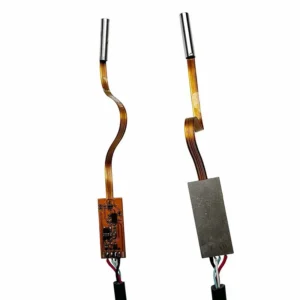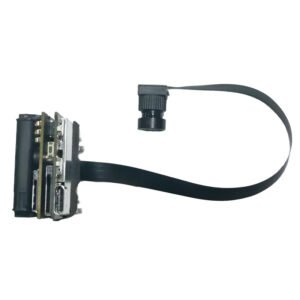

A USB camera module looks simple: a small board, a lens, a cable. Yet it is one of the most commonly mis-specified components in embedded and consumer hardware. Teams pick a module by megapixel count, discover the frame rate collapses over USB 2.0, find the picture washed out in a bright window, or learn too late that a fast-moving subject looks bent and smeared.
This guide explains what actually matters when you choose a usb camera module, in plain language, with practical recommendations for laptops, access control, doorbells, robots and industrial vision. It is written by the team at Shenzhen Brilliant CMOS Technology Co., Ltd., where we design and supply OEM and ODM camera modules, so the advice reflects the mistakes we see in real projects.
In this guide
- What a USB camera module is, and why UVC matters
- USB 2.0 vs USB 3.0 speeds: the bandwidth math
- Resolution, sensor size and lens: what really sets image quality
- Laptop and tablet cameras
- Document capture and general-purpose imaging
- Face recognition cameras and wide dynamic range
- Doorbell and entry cameras
- Global shutter and monochrome cameras for fast motion
- High-resolution and autofocus modules for robot vision and 4K
- Module comparison at a glance
- A practical selection checklist
- Frequently asked questions
1. What a USB camera module is, and why UVC matters
A USB camera module is a compact board containing a CMOS image sensor, a lens (fixed focus or autofocus), and a controller that processes the image and sends it to a host over USB. Unlike a MIPI camera, which usually needs custom drivers and tight integration with a specific processor, a USB module connects to almost any host with a USB port.
The feature that makes this practical is UVC (USB Video Class). A UVC-compliant device announces itself in a standard way, so Windows, Linux, macOS and Android can recognise it and start streaming video without a vendor driver in most configurations. For a product team that means:
- Fast prototyping. You can see a live image within minutes of plugging the module in.
- Lower software cost. Standard video APIs replace custom driver work.
- Host flexibility. The same module can run on a laptop, an Android tablet, a Raspberry Pi-class board or an industrial PC.
The trade-off is that USB adds a controller and consumes bandwidth, which brings us to the question most buyers underestimate.
2. USB 2.0 vs USB 3.0 speeds: the bandwidth math
If you are searching for usb 3.0 speeds in a camera context, you are really asking: how many frames per second can I get at my resolution? The answer depends on how the video is sent.
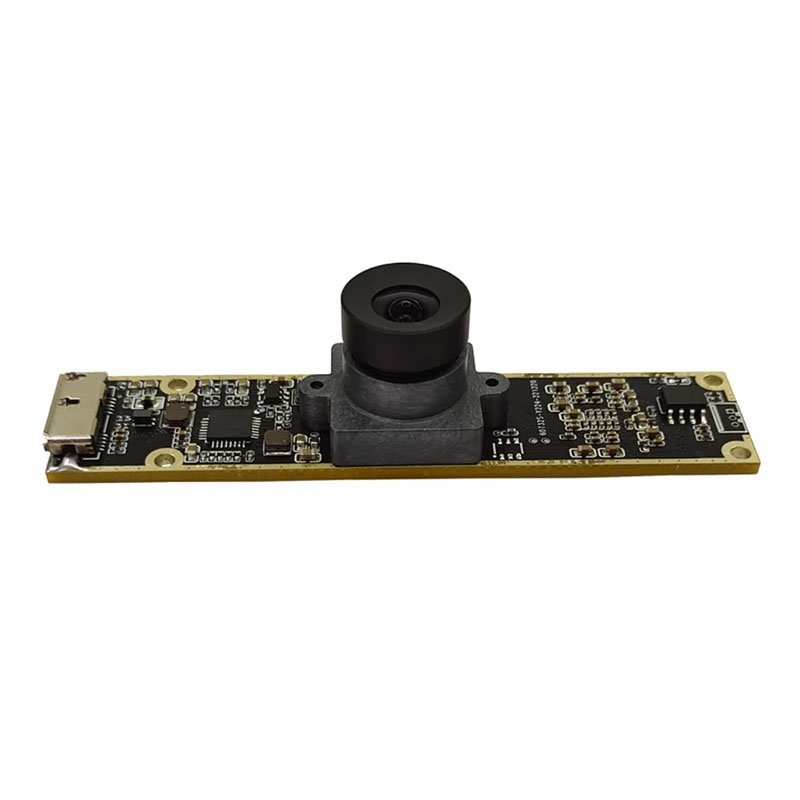
Raw (uncompressed) video is simple and has no compression artefacts, but it is data hungry. A rough rule: width x height x bytes per pixel x frames per second. For example, 1920 x 1080 at 30 frames per second in a common 2-byte-per-pixel format is roughly 124 megabytes per second, which is around a gigabit per second.
Compressed video (such as MJPEG or H.264) shrinks that stream dramatically, which is why many USB 2.0 cameras deliver 1080p at 30 fps using compression.
The two common interface generations differ greatly:
- USB 2.0 has a theoretical maximum of 480 megabits per second. Real-world throughput is lower. It is perfectly good for 720p and for compressed 1080p video, and it is the cheapest and most compatible option.
- USB 3.0 (5 Gbps theoretical) gives roughly ten times the headroom. It lets you stream high frame rates, or high resolutions with little or no compression, which matters when latency and image fidelity are critical.
Our 2MP 1080p 120fps USB 3.0 global shutter camera module is built for exactly this situation: 1080p at 120 frames per second needs bandwidth that USB 2.0 cannot realistically carry, so USB 3.0 is the right pairing.
Practical tips
- Treat the theoretical number as a ceiling, not a promise. Cable quality, hub design and host controllers all reduce real throughput.
- Plug high-bandwidth cameras directly into the host, not into a shared hub, when you can.
- Decide early whether your application can tolerate compression. Machine vision that measures fine detail often prefers uncompressed or lightly compressed streams.
3. Resolution, sensor size and lens: what really sets image quality
Megapixels are the number everyone quotes, and the least reliable guide to quality. Four things together decide how good the picture looks:
- Sensor size and pixel size. A larger sensor with larger pixels collects more light, giving cleaner images in dim rooms.
- Lens quality and field of view. A sharp lens on a 2MP sensor often beats a poor lens on 8MP. A wide field of view covers more scene but reduces detail on distant subjects.
- Focus type. Fixed focus is simple, robust and cheap, and works when the subject distance is predictable. Autofocus is worth the cost when distance varies, such as documents, close-up work or a moving robot.
- Image processing. Exposure, white balance, noise reduction and wide dynamic range tuning decide how the module copes with difficult light.
A useful habit: write down the subject distance, the smallest detail you must resolve and the worst lighting you expect, then choose the module. Do not start from the megapixel number.
4. Laptop and tablet cameras
A usb laptop camera module has a different brief from other cameras. It needs a slim board, a lens that suits a face sitting 40 to 70 centimetres away, reliable behaviour in mixed indoor lighting, and driverless compatibility so the manufacturer can ship without extra software.
Our 720p CMOS sensor USB 2.0 UVC camera module for PC and tablet is designed for this role. At 720p over USB 2.0 it keeps the data rate modest, runs on essentially any PC or tablet host, and is a sensible, cost-efficient choice for video calls, e-learning devices and basic conferencing hardware.
When specifying a laptop or tablet camera, check:
- Module thickness and connector. It must fit the bezel and the cable path.
- Field of view. Around the typical webcam range suits one person; wider suits two or more.
- Low-light behaviour. Home and office lighting is rarely ideal.
- Privacy features. Some designs add a shutter or an indicator light.

5. Document capture and general-purpose imaging
When the subject is a page of text or a printed form, resolution and focus become decisive. Fine print needs enough pixels across the page, and a sharp, consistent focus.
Our 5MP USB UVC camera module for capture and document scanning gives a higher pixel count than a standard 720p webcam board, which helps with readable text, forms and small labels. It is a good fit for document cameras, kiosk scanners, classroom visualisers and simple inspection stations. As with any such use, lighting matters as much as the sensor: even, glare-free illumination does more for legibility than extra megapixels.
6. Face recognition cameras and wide dynamic range
A face recognition camera has to do something ordinary webcams do badly: deliver a consistent, well-exposed face under very uneven lighting. Think of a person standing in a doorway with a bright window behind them, or under a harsh ceiling light.
The feature that addresses this is wide dynamic range (WDR). A WDR camera combines or balances bright and dark areas, so the face is not reduced to a silhouette when the background is bright. Our 1080p wide dynamic USB camera module for face recognition is built around this need, giving access control, attendance and kiosk systems a more usable face image in real-world lighting.
What to consider for face-based systems:
- Consistent exposure on the face, not on the whole frame.
- Adequate resolution at the working distance. Recognition accuracy depends on how many pixels cover the face.
- Frame rate and latency. The faster the camera and host respond, the smoother the user experience.
- Anti-spoofing needs. If your product must resist photo or screen attacks, ask us about camera options that support that design, as it often involves more than a single standard lens.
- Privacy and legal compliance. Facial data is regulated in many regions, so plan consent, storage and local law from the start.

7. Doorbell and entry cameras
Searching for the best video doorbell camera usually leads to finished consumer products. If you are a manufacturer building one, the question is different: which module gives the doorbell a dependable image?
A doorbell faces the same difficult scene as face recognition: people backlit by daylight, strong contrast, and changing weather and light. Our 2MP dual-lens USB WDR UVC camera module combines a dual-lens design with wide dynamic range and UVC compatibility, which makes it a candidate for entry cameras, smart locks and access panels that run on a Linux or Android host with a USB port.
For doorbell and entry designs, also plan:
- Night performance. Many doorbells need infrared illumination and an IR-cut approach. Talk to us about variants suited to day and night use.
- Weather sealing. The module sits inside your housing, so the enclosure and window design must handle rain, dust and temperature.
- Power budget. Battery-powered doorbells are sensitive to camera power draw.
- Wide field of view. Visitors, parcels on the step and approach paths all need to be visible.

8. Global shutter and monochrome cameras for fast motion
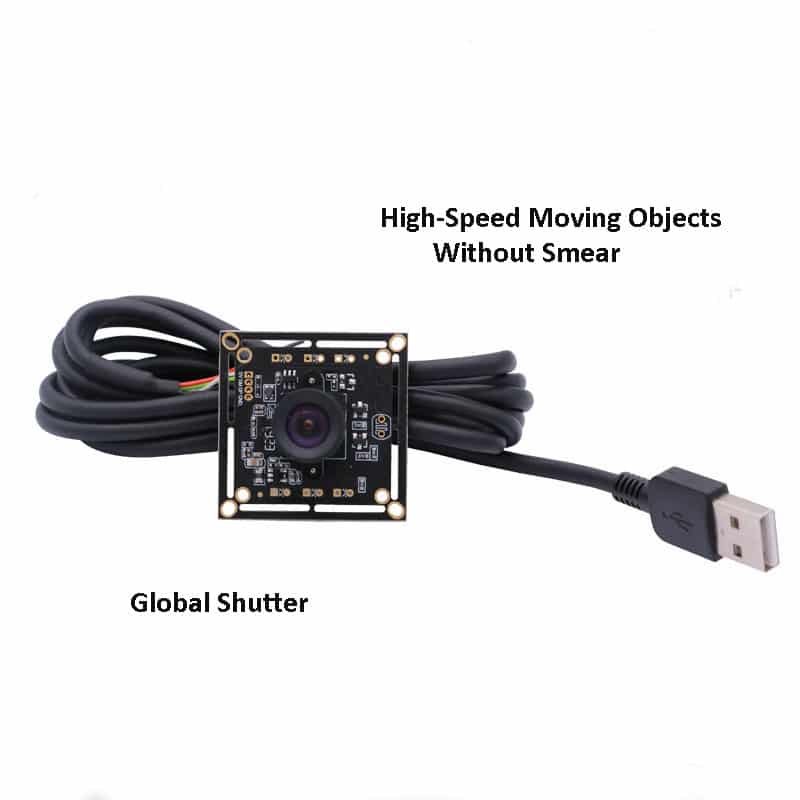
Most cheap cameras use a rolling shutter, which reads the image row by row. Fast-moving subjects can look skewed or wobbly. A global shutter exposes every pixel at the same instant, so moving objects stay geometrically correct. That is essential for barcode reading on a conveyor, motion tracking, robotics, gesture capture and eye tracking.
Our 120fps CMOS global shutter USB 2.0 monochrome camera module pairs a global shutter with a monochrome camera sensor. Monochrome sensors have no colour filter, so they collect more light per pixel, giving better sensitivity and sharper detail than a colour sensor of the same size. When colour is not needed, they are often the smarter choice for machine vision.
If you are searching for a compact camera circuit board for tracking or vision tasks, look at our OmniVision OV7251 / OV9281 / OG02B10 120fps global shutter monochrome camera module, which covers several popular global shutter sensors for high-speed capture.
When to choose global shutter and monochrome:
- Objects move quickly across the frame
- Accurate shapes and measurements matter
- You need the best low-light sensitivity per pixel
- You will process the image with software, not show it to a person
9. High-resolution and autofocus modules for robot vision and 4K
Some applications need more detail than 1080p can offer, or need the camera to focus on subjects at changing distances.
Robot vision. A mobile or arm-mounted robot sees objects at constantly changing distances, so autofocus is valuable. Our autofocus IMX586 48MP USB camera module is aimed at robot vision camera module applications that need fine detail and automatic focusing. Remember that very high resolutions produce a lot of data, so check your host’s processing capacity and the module’s frame rate at full resolution.
4K and Sony sensors. Sony sensors have a strong reputation for low-noise, accurate colour. If you want a sony 4k camera in USB form, see our Sony IMX298 4K 16MP USB camera module. It suits applications such as high-detail inspection, presentation capture and advanced imaging devices. Confirm the achievable frame rate at 4K, because high resolutions over USB are bandwidth-limited, just as the earlier section explained.

10. Module comparison at a glance
Specifications below come from our product pages. Confirm final details with our team before ordering.
| Use case | Module | Key features | Interface |
| Laptop, tablet, video calls | 720p CMOS UVC module for PC and tablet | 720p, UVC | USB 2.0 |
| Document capture, general imaging | 5MP USB UVC module | 5MP, UVC | USB |
| Face recognition, access control | 1080p wide dynamic module | 1080p, WDR | USB |
| Entry and doorbell designs | 2MP dual-lens WDR UVC module | 2MP, dual lens, WDR, UVC | USB |
| Fast motion, machine vision | 120fps global shutter monochrome module | Global shutter, monochrome, 120fps | USB 2.0 |
| High-speed tracking | OV7251 / OV9281 / OG02B10 module | Global shutter, monochrome, 120fps | See product page |
| High-speed, high-bandwidth | 2MP 1080p 120fps global shutter | 1080p, 120fps, global shutter | USB 3.0 |
| Robot vision | IMX586 48MP autofocus module | 48MP, autofocus | USB |
| 4K imaging | Sony IMX298 4K 16MP module | 16MP, 4K | USB |
11. A practical selection checklist
Answer these before you request samples:
- What is the subject, and how far away? This drives lens, focus type and resolution.
- How fast does it move? Fast motion points to a global shutter.
- What is the worst lighting? Backlight suggests WDR; darkness suggests larger pixels, monochrome or IR.
- Which host will you use? Check USB ports, operating system and processing power.
- USB 2.0 or 3.0? Work out the data rate for your resolution and frame rate, and decide whether compression is acceptable.
- Does it need colour? If not, monochrome is often better.
- What are the size, cable and connector limits? Tell us early so we can customise.
- What volume and lifetime do you expect? Stable supply and long-term availability matter for a product you plan to sell for years.
Common mistakes we see:
- Choosing by megapixels and ignoring sensor size and lens quality
- Specifying 1080p at high frame rates on USB 2.0 without checking bandwidth
- Using a rolling shutter for a fast-motion task
- Forgetting cable length, shielding and connector strain in the final product
- Testing only in a bright office and not in the real environment
12. Frequently asked questions
What does UVC mean on a USB camera module?
UVC stands for USB Video Class, a standard that lets most operating systems recognise and use a camera without a special driver. It is the main reason USB modules are quick to integrate.
Is USB 3.0 always better than USB 2.0 for a camera?
No. USB 3.0 gives far more bandwidth, which matters for high frame rates or high resolutions. For 720p or compressed 1080p video, USB 2.0 is often enough, simpler and cheaper.
What is the difference between global shutter and rolling shutter?
A rolling shutter reads the image line by line, which can distort fast-moving subjects. A global shutter captures the whole frame at once, so motion stays accurate. It is preferred for machine vision, tracking and robotics.
Why choose a monochrome camera?
Without a colour filter, each pixel receives more light, so a monochrome sensor is more sensitive and often sharper. It is a strong choice when your software does not need colour.
Which module suits face recognition?
Look for a camera with wide dynamic range, enough resolution at your working distance, and stable exposure. Our 1080p wide dynamic USB module is designed for this need.
Can you customise a USB camera module?
Yes. OEM and ODM customisation is core to our business, including lens field of view, cable length, connector, board shape, firmware settings, logo and packaging.
How do I get samples?
Send us your application, target resolution, frame rate, host system and expected volume. Our engineers will recommend a starting module and arrange samples.
Talk to an engineer before you commit
The right USB camera module saves weeks of rework. Shenzhen Brilliant CMOS Technology Co., Ltd. supplies OEM and ODM camera modules for laptops, access control, robotics, IoT and industrial vision, with sample support and engineering input from your first drawing.
- Browse the full range at cbritech.com
- Send your resolution, frame rate, interface and volume, and we will recommend a module
Specifications are provided for guidance and may be updated. Please confirm final parameters with our team before placing an order. Face recognition and similar products may be subject to privacy and data protection laws in your market.