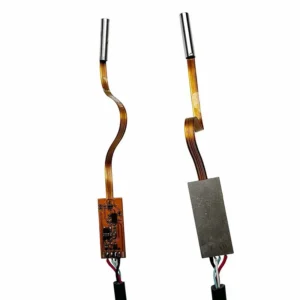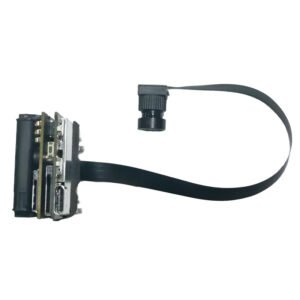

A drone flies over an industrial rooftop just after sunset. Through its ordinary camera, the surface looks uniform. Through a thermal imaging camera, several areas show noticeably different heat patterns.
That contrast is why thermal imaging has become useful in aerial inspection, industrial maintenance, security and embedded vision systems.
But choosing the right thermal camera module is not simply a matter of buying the highest-resolution sensor available.
A module that performs well on a stationary inspection terminal may be too heavy, power-hungry or difficult to integrate into a compact drone. Another module may offer a convenient video output but lack the temperature measurement functions required for a particular inspection workflow.
For engineers and OEM buyers, the important questions are practical: What thermal detail must the camera detect? How far away is the target? What video interface does the host support? What are the power, weight and environmental limits?
At Shenzhen Brilliant CMOS Technology Co., Ltd., our product range includes a 640 infrared CVBS/USB night vision thermal imaging camera core for buyers evaluating embedded thermal imaging solutions.
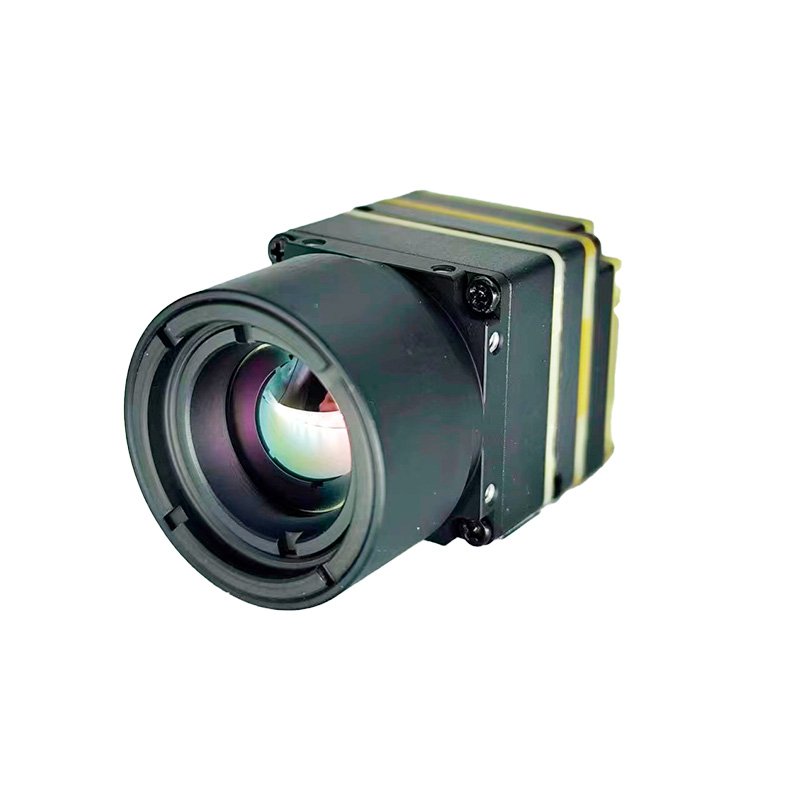
This guide explains the technical considerations that matter when selecting a thermal imaging camera for drones, FPV systems, industrial inspection equipment and OEM applications.
In this guide
-
What a thermal imaging camera module does
-
Thermal imaging versus conventional night vision
-
Understanding thermal resolution and detector sensitivity
-
Choosing a thermal lens and field of view
-
USB versus CVBS thermal camera interfaces
-
Thermal drone camera integration
-
FPV drone camera module considerations
-
Industrial inspection and embedded thermal imaging
-
Image processing, calibration and temperature measurement
-
Thermal camera module comparison
-
A practical OEM selection checklist
-
Frequently asked questions
1. What a thermal imaging camera module actually does
A thermal imaging camera detects infrared radiation emitted by objects and converts that information into an image.
Most everyday objects emit infrared energy. The amount detected by a camera depends on factors including the object’s temperature, surface properties, the surrounding environment and the sensor’s operating wavelength range.
Unlike a standard CMOS camera, a thermal camera does not need visible light to show temperature-related contrast.
This makes thermal imaging particularly useful when the information you need is not visible to the human eye.
For example, a thermal camera may help an operator identify unusual heating around electrical equipment, examine temperature patterns across a building surface or locate a warm object against cooler surroundings.
However, a thermal image is not automatically an accurate temperature measurement. That requires appropriate detector calibration, radiometric processing and measurement settings.
What is inside a thermal imaging camera module?
A typical thermal imaging module combines several components:
-
Infrared detector: Senses radiation within the detector’s specified infrared band.
-
Infrared optics: Focuses incoming radiation onto the detector.
-
Signal processing electronics: Converts sensor output into usable image data.
-
Image correction functions: Compensate for variations between detector pixels.
-
Video output interface: Connects the module to a display, host processor or recording system.
-
Mechanical assembly: Supports the optics, detector and electrical connections.
Some thermal camera modules also include temperature measurement functions, configurable color palettes, digital controls or other processing features.
These capabilities vary by model and must be checked against the actual product specifications.
For OEM developers, the module is only one part of the finished system. The host processor, software, power supply, enclosure and user interface all contribute to final performance.
2. Thermal imaging versus conventional night vision
Thermal imaging and night vision are frequently treated as the same technology, but they operate differently.
A conventional low-light camera uses available visible light or, in some designs, reflected near-infrared illumination.
A thermal imaging camera detects emitted infrared radiation, generally in a different wavelength range.
This distinction matters when selecting a camera for an application that must work in darkness.
| Feature | Thermal imaging camera | Conventional low-light or IR camera |
|---|---|---|
| Imaging method | Detects emitted infrared radiation | Captures visible or reflected near-infrared light |
| Needs external illumination | Not generally required for thermal contrast | Often required in complete darkness |
| Image appearance | Temperature-related patterns | Recognizable visual shapes and textures |
| Color information | Usually represented using artificial palettes | May provide color or monochrome images |
| Temperature measurement | Possible with suitable radiometric designs | Not normally available |
| Common applications | Thermal inspection, detection and monitoring | Surveillance, identification and visual recording |
Which technology should you choose?
Choose thermal imaging when your application depends on detecting thermal differences.
Choose conventional imaging when identifying visual details, reading labels, recognizing colors or capturing ordinary video is the primary requirement.
In some products, combining both technologies produces a more useful system than relying on either camera alone.
For example, a drone could use a conventional camera to document the visible condition of a structure and a thermal camera to highlight areas requiring closer inspection.
The two image streams serve different purposes.
3. Thermal resolution: why pixel count is only the beginning
When evaluating a thermal imaging camera, resolution is one of the most visible specifications.
Common thermal detector formats include 160 × 120, 256 × 192, 320 × 240 and 640 × 512 pixels, although other formats are available.
A higher-resolution detector captures more spatial information across the scene.
That can help when examining small objects, viewing targets at a distance or inspecting a broad area from an elevated position.
CBRI Tech offers a 640 infrared CVBS/USB thermal imaging camera core, which belongs to the higher-resolution category commonly considered for demanding embedded thermal imaging projects.
Why more pixels matter for a thermal drone
Imagine inspecting a large industrial rooftop.
With a low-resolution thermal camera, a small hot area may occupy only a few pixels, making it difficult to distinguish from surrounding surfaces.
A higher-resolution detector can provide more information about the same target, assuming the lens and viewing distance are suitable.
This is particularly important when the camera is mounted on a drone, because flight altitude directly affects the amount of detail captured.
However, higher resolution also creates additional requirements for image processing, video transmission, storage and potentially power consumption.
The correct choice depends on the smallest feature your application must reliably observe.
Do not confuse thermal resolution with visible-light resolution
A 640-class thermal detector does not produce the same visual detail as a 4K conventional camera.
The technologies measure different information, and their imaging systems are designed for different purposes.
A lower-resolution thermal image may still reveal information that a high-resolution visible-light image cannot show.
For industrial and aerial applications, the useful question is not simply how many pixels the camera has.
It is whether the camera can resolve the thermal features that matter at the required working distance.
4. Thermal sensitivity, NETD and field of view
Two thermal cameras with similar resolution may produce noticeably different images.
Thermal sensitivity and optical design are major reasons.
What is NETD?
NETD stands for Noise Equivalent Temperature Difference.
It describes a thermal detector’s sensitivity to small temperature differences under specified testing conditions.
NETD is commonly expressed in millikelvin (mK).
A lower NETD value generally indicates that the detector can distinguish smaller temperature differences, although the quality of the final image also depends on optics, processing and operating conditions.
This matters in applications where the temperature contrast between the target and background is relatively small.
Examples include building envelope inspections, equipment condition monitoring and some wildlife observation scenarios.
Why field of view matters
Field of view determines how much of a scene the camera captures.
A wide field of view allows the camera to observe a larger area, but objects occupy fewer pixels.
A narrower field of view concentrates more detector pixels on a smaller area, which can improve the visibility of distant features.
Neither option is universally better.
For example:
-
A drone surveying a broad rooftop may benefit from a wider view.
-
A camera monitoring equipment from a fixed distance may need a narrower view.
-
A compact inspection device may prioritize short working distance and sufficient coverage.
The lens and detector must be selected together.
Questions to ask before choosing thermal optics
Determine the typical target distance, the smallest feature that must be detected, the required scene coverage and whether the camera will remain stationary or move during operation.
These answers help establish the appropriate detector resolution and lens combination.
5. USB versus CVBS: choosing the right thermal camera interface
The camera’s interface determines how image data reaches the rest of the system.
For embedded thermal imaging projects, this choice can affect the entire hardware architecture.
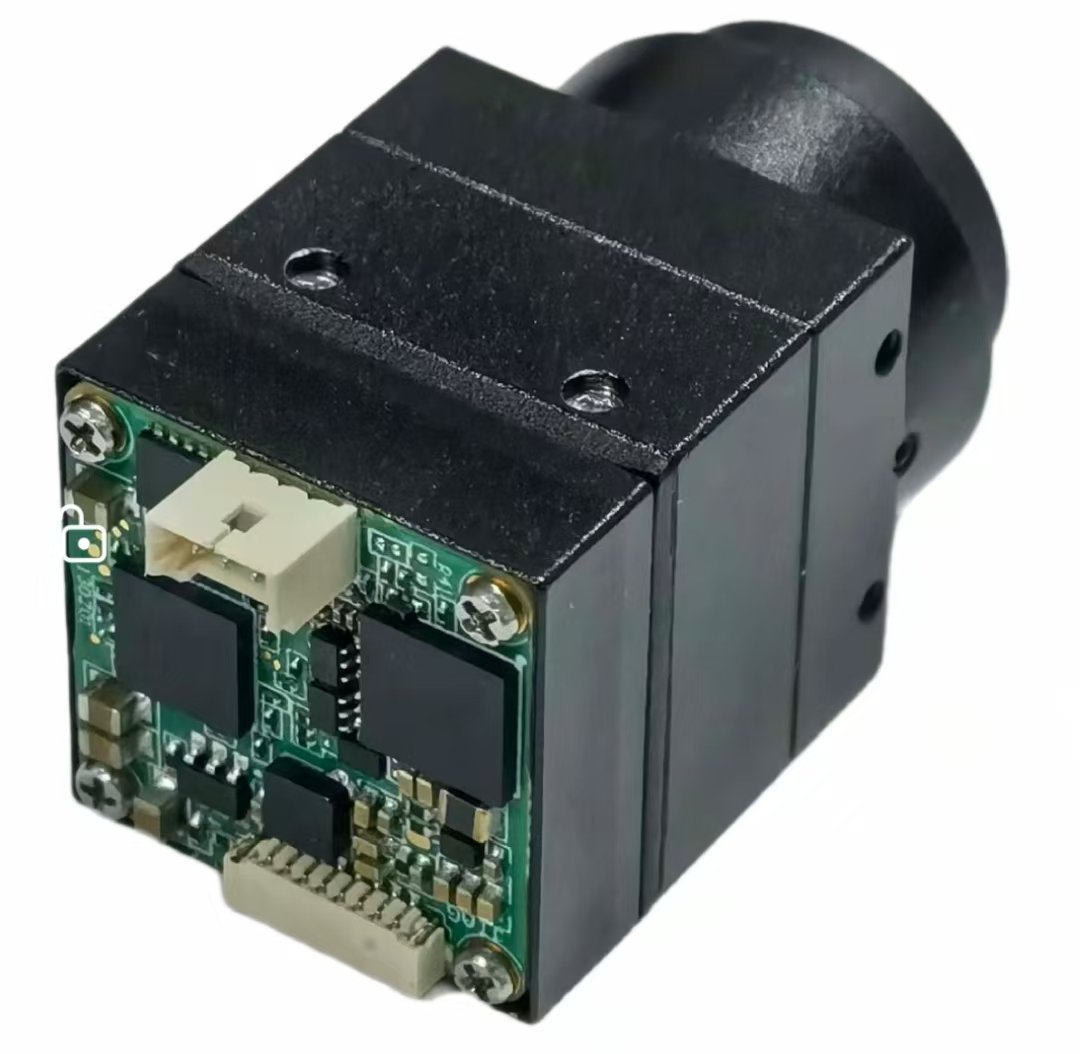
CBRI Tech’s infrared thermal imaging camera core is listed with CVBS and USB connectivity, making it relevant to developers considering either digital host integration or analog video workflows.
USB thermal camera modules
USB is useful when the camera connects to a PC, embedded computer or another device with a suitable USB host.
It can simplify digital image acquisition and software integration when the module’s protocol is supported.
Potential applications include portable inspection terminals, industrial monitoring systems, embedded Linux devices and computer-based thermal imaging products.
However, not every USB thermal camera operates as a standard UVC webcam.
Before ordering, confirm the supported operating systems, USB protocol, image formats, driver requirements and software development resources.
CVBS thermal camera modules
CVBS is an analog composite video interface.
It can be useful for systems that already use composite video displays, capture devices or transmitters.
This may be relevant to certain FPV platforms and embedded systems built around analog video infrastructure.
A CVBS interface does not eliminate the need for integration testing. Developers must confirm the supported video standard, signal format, electrical compatibility and any required decoding hardware.
USB and CVBS comparison
| Requirement | USB | CVBS |
|---|---|---|
| Signal type | Digital | Analog composite video |
| Typical connection | Computer or USB host | Analog display, receiver or decoder |
| Software processing | Direct digital workflow, subject to protocol support | Usually requires video digitization |
| Integration concern | Drivers, bandwidth and host compatibility | Video standard, signal integrity and decoder support |
| Suitable projects | Embedded computing and software-driven inspection | Existing analog video and display systems |
For the mapped CBRI Tech product, confirm whether USB and CVBS outputs are available simultaneously or through selectable configurations.
That detail should be resolved before finalizing the system architecture.
6. Thermal drone cameras: engineering for airborne applications
A thermal drone presents challenges that are different from those of a stationary inspection camera.
The camera must operate while the aircraft moves, changes altitude and experiences vibration. It also shares limited power and payload capacity with the flight controller, motors, communications hardware and other onboard equipment.
A thermal module that produces excellent images on a laboratory bench may not perform as expected after installation on an aircraft.
Weight and payload
Every component adds weight, including the detector, lens, enclosure, mounting hardware, cabling and any stabilization mechanism.
The CBRI Tech thermal core lists a module size of 20 × 20 mm and a weight of no more than 23 g, both excluding the lens. These are useful starting specifications, but the complete installed payload will be heavier.
The lens, mounting assembly and protective housing must therefore be included in the final weight calculation.
Power supply and electrical stability
The module’s listed input voltage is 5–16 V, with power consumption of no more than 0.8 W.
A low camera power requirement can be advantageous on battery-powered platforms, but it does not guarantee stable operation.
Drone power systems can experience voltage fluctuations and electrical interference from motors and switching electronics.
A robust design should include suitable voltage regulation, grounding, filtering and cable routing.
Frame rate and moving scenes
The listed thermal core operates at 50 frames per second.
This can be useful for observing scenes from a moving platform, particularly when the camera orientation or subject position changes rapidly.
However, the detector frame rate is only one part of the video chain.
The host processor, video encoder, transmission system and display must also support the required operating mode.
Stabilization and vibration
Thermal cameras are not automatically immune to vibration.
Mechanical vibration can cause image movement, reduce useful detail and make interpretation more difficult.
Depending on the aircraft and intended application, developers may need vibration-isolated mounting, a stabilized gimbal or image stabilization in the downstream system.
The correct approach depends on the flight platform, optics and required observation accuracy.
7. Choosing an FPV drone camera module: thermal or low-light?
FPV stands for first-person view. In an FPV system, video is transmitted from the aircraft to an operator or another viewing system.
An FPV drone camera module must deliver imagery that is useful for the intended task while remaining compatible with the video transmission architecture.
For some applications, a conventional low-light camera is appropriate. For others, thermal imaging provides information that visible-light cameras cannot.
When thermal FPV makes sense
Thermal imaging may be useful when an operator needs to observe thermal contrast in darkness or monitor objects with distinctive temperature patterns.
Potential applications include specialized inspection, remote observation and environmental monitoring.
However, thermal imagery can lack visual landmarks and surface details that are useful for navigation.
A thermal camera should therefore not automatically be treated as a replacement for a conventional FPV navigation camera.
Why CVBS compatibility matters
Some FPV systems use analog composite video.
The CBRI Tech thermal camera core lists CVBS output with a PAL analog format, making it relevant to systems that can accept this video signal.
Before integration, confirm that the receiver, transmitter, display and any intermediate video electronics support the selected output.
A compatible connector alone does not guarantee a compatible video signal.
Thermal FPV versus low-light FPV
| Requirement | Thermal FPV camera | Low-light FPV camera |
|---|---|---|
| Main imaging objective | Observe thermal differences | Capture recognizable scene details |
| Operation without visible light | Can image thermal contrast | May require available light or illumination |
| Familiar visual navigation | More limited | Generally better suited |
| Thermal anomaly observation | Suitable | Not suitable |
| Important selection factors | Detector, optics, sensitivity and output | Sensor sensitivity, lens, latency and output |
For OEM manufacturers, the correct choice starts with defining whether the camera is intended for navigation, thermal observation, inspection or a combination of these functions.
8. Industrial inspection applications for thermal camera modules
Thermal imaging is useful in industrial environments because equipment temperature patterns can provide information about operating conditions.
A thermal camera can help reveal differences that are difficult or impossible to see with an ordinary camera.
However, a temperature anomaly is not automatically proof of a specific fault.
A proper inspection process must account for operating load, ambient conditions, surface emissivity and the equipment’s normal behavior.
Electrical equipment inspection
Electrical components can develop unusual temperature patterns due to several causes, including excessive current, poor connections or uneven loading.
Thermal imaging can help identify areas that warrant further examination.
For example, a technician inspecting a distribution panel may compare the thermal patterns of similar components operating under comparable conditions.
The thermal image can guide further investigation, but diagnosis should follow appropriate electrical inspection procedures.
Mechanical equipment monitoring
Motors, bearings and other mechanical assemblies generate heat during operation.
Changes in thermal patterns may indicate conditions worth investigating.
A thermal camera can provide a non-contact view of surface temperature distribution, making it useful as one element of a broader maintenance process.
Building and infrastructure inspection
Thermal imaging can help visualize surface temperature differences across walls, roofs and other structures.
Under suitable conditions, these differences may assist with identifying areas requiring further investigation for insulation, moisture or other building-performance concerns.
Environmental conditions strongly influence results, so thermal imagery must be interpreted carefully.
Embedded industrial equipment
For OEM manufacturers, a compact thermal camera core can also become part of a larger monitoring product.
Examples include fixed inspection stations, remote equipment-monitoring devices and portable thermal observation systems.
The module’s interface, optical configuration and environmental requirements should be selected around the finished equipment rather than treated as independent purchasing decisions.
9. Image processing, calibration and temperature measurement
One of the most important distinctions in thermal imaging is the difference between displaying a thermal image and measuring temperature accurately.
A camera may show warmer and cooler areas without providing calibrated temperature readings.
Thermal palettes
Thermal cameras commonly use artificial color palettes to make temperature-related differences easier to interpret.
The CBRI Tech product lists four available palettes:
-
White Hot
-
Black Hot
-
Iron Red
-
Fusion
These palettes change how the thermal information is displayed. They do not change the underlying radiation detected by the sensor.
The most appropriate palette depends on the operator’s task and viewing conditions.
Non-uniformity correction
Infrared detector pixels may respond slightly differently even when observing the same scene.
Thermal imaging systems commonly use non-uniformity correction to compensate for these variations.
Correction behavior can influence image consistency and the user experience, especially in applications requiring continuous observation.
OEM buyers should ask how correction is handled and whether it affects the video stream during operation.
Radiometric versus non-radiometric imaging
A radiometric thermal camera is designed to support temperature measurement through appropriate calibration and processing.
A non-radiometric thermal camera may provide thermal imagery without accurate temperature values for individual pixels.
This distinction matters when building products intended for inspection reports or temperature-based alerts.
If the application requires temperature measurement, request explicit confirmation of radiometric support, accuracy specifications, calibration requirements and available software interfaces.
Do not assume that every thermal imaging camera core provides these functions.
Emissivity and environmental influences
Even a calibrated thermal camera does not directly measure temperature without assumptions.
Surface emissivity, reflected radiation, atmospheric conditions and viewing geometry can influence the apparent temperature.
Highly reflective surfaces are particularly challenging.
For engineering applications, the measurement method and operating conditions should be documented before relying on temperature readings.
10. CBRI Tech thermal imaging camera core: specifications at a glance
The following specifications are published for the 640 infrared CVBS/USB night vision thermal imaging camera core.
| Specification | Published value |
|---|---|
| Detector type | Uncooled vanadium oxide (VOx) infrared detector |
| Resolution | 640 × 512 |
| Pixel pitch | 12 μm |
| Frame rate | 50 FPS |
| NETD | 40 mK |
| Spectral band | 8–14 μm |
| Listed interfaces | USB / CVBS |
| Analog video format | PAL |
| Input voltage | 5–16 V |
| Power consumption | ≤0.8 W |
| Core dimensions | 20 × 20 mm, excluding lens |
| Weight | ≤23 g, excluding lens |
| Operating temperature | −40°C to +80°C |
| Listed lens options | 4, 5.3, 7, 9.1, 13, 15, 19, 25, 35 and 50 mm |
| Image palettes | White Hot, Black Hot, Iron Red, Fusion |
The product page lists USB/CVBS support, while its detailed electrical specification identifies CVBS/PAL and UART connections. Buyers should confirm the exact USB implementation and required hardware configuration.
These are component-level specifications. The finished product’s performance will depend on its optics, electronics, software and mechanical design.
11. A practical selection checklist for OEM buyers
Before requesting samples, work through these questions with your engineering team.
-
What must the camera detect? Define whether the application involves thermal observation, anomaly detection or calibrated temperature measurement.
-
What is the required observation distance? Determine the typical and maximum working distances.
-
How small is the target? The smallest relevant feature helps determine detector resolution and optics.
-
What field of view is needed? Choose the lens around the required scene coverage.
-
What thermal sensitivity is required? Evaluate NETD alongside resolution and real operating conditions.
-
Which interface does the host support? Confirm USB, CVBS or another required video format.
-
What frame rate is necessary? Consider moving targets, moving platforms and downstream processing.
-
What are the physical restrictions? Include the lens, enclosure, connectors and mounting hardware.
-
What power is available? Verify input voltage, consumption and electrical stability.
-
Does the application require temperature measurement? Confirm radiometric capability and calibration support.
-
What environmental conditions will the module face? Account for temperature, moisture, dust and vibration.
-
What support is required for production? Discuss sample testing, documentation, configuration and supply continuity.
Common selection mistakes
Several avoidable mistakes can delay an embedded thermal imaging project.
Choosing resolution without considering optics. More detector pixels do not guarantee that a distant target will occupy enough pixels for useful observation.
Assuming every thermal camera measures temperature. Thermal video and radiometric measurement are different capabilities.
Ignoring interface details. A module advertised with USB or CVBS support still requires verification of the exact signal and integration requirements.
Underestimating the installed payload. Camera weight figures may exclude the lens, enclosure and mounting hardware.
Testing only in ideal conditions. Thermal performance should be evaluated at realistic distances, temperatures and operating conditions.
Treating thermal imaging as conventional night vision. These technologies reveal different information and should be selected for different tasks.
12. Frequently asked questions
What is a thermal imaging camera module?
A thermal imaging camera module is a component that detects infrared radiation and converts it into a thermal image. It can be integrated into drones, industrial equipment, observation systems and other OEM products.
Can a thermal camera work in complete darkness?
Yes. A thermal camera can detect thermal contrast without visible-light illumination. However, image usefulness still depends on the temperature differences, optics, detector performance and environmental conditions.
What is the difference between a thermal drone and a normal camera drone?
A conventional camera drone primarily records visible imagery, while a thermal drone carries a thermal imaging system that reveals infrared radiation patterns. Some platforms combine both camera types.
Is a thermal camera suitable for FPV applications?
It can be suitable for specialized FPV thermal observation when the camera output is compatible with the video system. Conventional visible-light cameras may still be preferable for tasks requiring recognizable navigation details.
What is NETD in a thermal camera?
NETD, or Noise Equivalent Temperature Difference, describes thermal sensitivity under defined conditions. Lower NETD values generally indicate better ability to distinguish small temperature differences.
Is 640 × 512 resolution enough for industrial thermal imaging?
It can be suitable for many applications, but adequacy depends on target size, distance, optics and the task being performed. Resolution alone does not determine whether a specific inspection requirement can be met.
Does a USB thermal camera module work without drivers?
Not necessarily. USB connectivity does not guarantee UVC compliance or driver-free operation. Confirm the module’s protocol and operating-system support.
Can a thermal imaging camera measure exact temperatures?
Only when the camera and supporting system provide appropriate radiometric measurement capabilities and calibration. A thermal image alone does not establish measurement accuracy.
What lens should I choose for a thermal drone?
The lens depends on flight altitude, target distance, required field of view and the smallest feature that must be observed. Shorter and longer focal lengths serve different purposes.
Can Shenzhen Brilliant CMOS Technology customize thermal camera modules?
CBRI Tech offers OEM camera module solutions. For thermal projects, buyers should discuss the required lens, output configuration, mechanical integration and production requirements directly with the engineering team to establish what customization is available.
Conclusion: Choose the thermal camera around the application
The best thermal imaging camera module is not necessarily the one with the highest resolution or the longest specification sheet.
It is the module that can deliver useful thermal information under the actual conditions in which the finished product will operate.
For a thermal drone, that means balancing detector performance with optics, weight, power, vibration and video transmission.
For an FPV system, it means confirming whether thermal imagery is appropriate for the task and whether the output integrates with the existing video architecture.
For industrial inspection, it means understanding the difference between observing thermal patterns and performing calibrated temperature measurements.
Shenzhen Brilliant CMOS Technology Co., Ltd. provides a 640 × 512 infrared thermal imaging camera core with USB/CVBS options for OEM developers evaluating these requirements.
When contacting the team, share your intended application, host platform, working distance, required lens, video interface, mechanical constraints and estimated production volume. Those details will make it easier to evaluate whether the module is appropriate for your project.
Explore Shenzhen Brilliant CMOS Technology to discuss your OEM requirements.